
How to add an event to the USA events calendar: a practical guide
Clear, step-by-step checklist for news readers to add events to the USA events calendar, with practical tips, pitfalls, and options for visibility.

A practical, reader-focused checklist shows how to add an event to the USA events calendar. It explains what information you need, where to submit it, and how to verify details before posting. This guide keeps the process simple, emphasizes accuracy, and helps you avoid common posting mistakes that delay publication.
By following these steps, you’ll understand the submission flow, the key fields editors expect, and how to format details for clarity. You’ll also see why timing matters and which edits editors frequently request. The aim is to make your event entry reliable and newsroom-ready.
Across the guide you’ll find concrete examples, quick checks, and alert notes to guard against errors that slow coverage.
- This guide explains how to add an event to the USA events calendar with a focus on accuracy, relevance, and newsroom standards.
- It covers gathering essential details, submitting correctly, and choosing the right visibility path to meet reader needs.
- Readers will learn practical checks, pitfalls to avoid, and how to handle updates and corrections without disrupting trust.
Basics to prepare
Know your event essentials
Start with the basics: event name, date, time, venue, address, and contact details. Include a brief description that answers who, what, where, when, and why. Double-check spelling and capitalization to keep the listing professional. add an event to the USA events calendar. If your organization publishes events, ensure the listing follows the newsroom’s style and verification standards.
Gather supporting information such as organizers, sponsors, and accessibility notes. Confirm the event falls within the newsroom’s geographic focus and time window. Prepare a concise, neutral summary suitable for a wire-style listing.
- Have the official event name and sponsor name clearly spelled.
- Provide a working phone number or email for inquiries.
- Note any ticketing info or age restrictions.
- Record the event’s local start time in the calendar’s timezone.
Check calendar fit
Assess whether the event matches the audience’s interests and the site’s coverage scope. Prioritize events with broader community impact or relevance to current events. If the event lacks timeliness, it may be better suited for a community roundup rather than a breaking-news item.
Evaluate credibility by cross-checking the organizer’s contact details and the event’s online presence. Avoid listing events with unverified data or questionable sponsors. This keeps the calendar’s trust with readers.
- Confirm organizer contact is active
- Verify date and venue with a public page
- Check for conflicting events nearby
How to submit
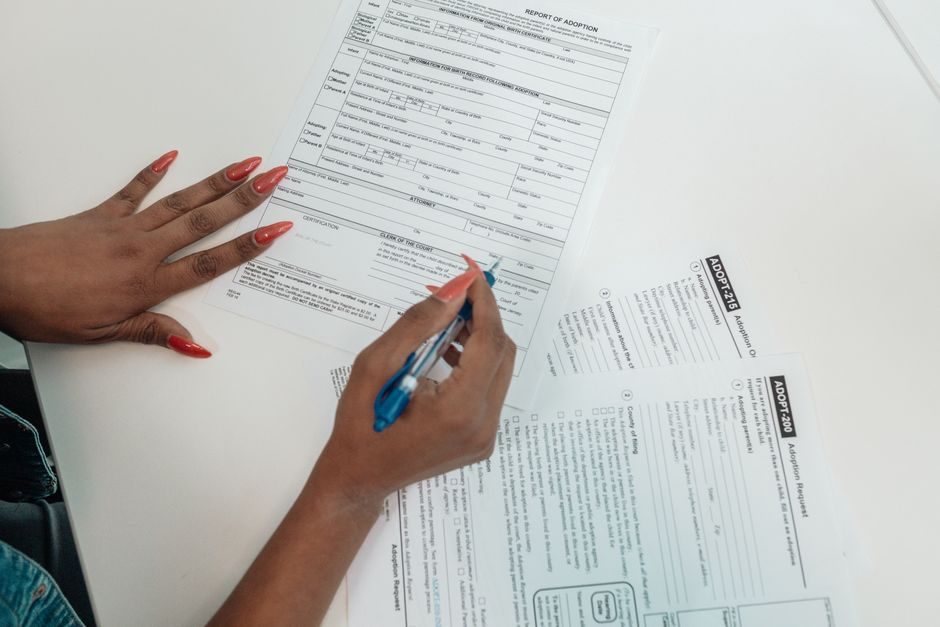
Find the right submission path
Locate the official submission form or contact channel used by the newsroom. If a form exists, fill every required field with precise data. If email is used, craft a short, well-structured note with all essential details. SMS Onay US latest news. Editors may require confirmation from a senior editor before posting time-sensitive updates.
Pay attention to any deadlines or embargo times. Some calendars require advance notice for scheduling. Keep a record of your submission for follow-up questions.
- Use the standard fields for date, time, and location
- Attach a one-line summary suitable for a listing
- Provide a link to the event page or ticketing site
Format for newsroom posting
Write a neutral, factual entry that mirrors wire copy. Use the event’s official title and spell organization names accurately. Avoid promotional language and subjective judgments.
Format time in local time and include the time zone if necessary. Include a brief, objective description limited to a few sentences.
Options for visibility
Choosing where to publish
Decide if the calendar listing should appear as a stand-alone item or as part of a broader events roundup. Stand-alone entries get more attention but require precise timing. Roundups help situational readers who scan headlines. promote your business in the USA. When posting, keep promotional language to a minimum and separate from factual event details.
Consider cross-posting on social feeds or partner sites if allowed by policy. Ensure the cross-post preserves neutral tone and factual details. Maintain consistency across channels.
- Stand-alone listing for high-visibility events
- Roundup placement for niche or local events
- Cross-post with editorial approval
| Option | Pros | Cons |
|---|---|---|
| Stand-alone listing | Higher visibility, clearer focus | Requires precise data and more work |
| Roundup placement | Efficient for multiple events | Less impact per event |
| Cross-posting | Broader reach | Requires policy compliance and consistency |
Timing and follow-up
Publish as close to the event time as policy allows, prioritizing breaking-interest items. If the event date is far ahead, schedule a reminder entry with updates as details emerge. Track any changes to time, venue, or sponsors.
After publishing, monitor for organizer updates and reader questions. Respond promptly with neutral, factual answers and verified links. Update the listing if new information becomes available.
- Publish immediately if time-sensitive
- Schedule updates for changes
- Monitor reader inquiries and respond
- Record any corrections transparently
Check that the description matches what readers will experience, and that dates are current.
Pitfalls to avoid
Common errors
New submitters often forget to include a local contact or misstate the time zone. Inaccurate venues cause reader confusion and lost bookings. Overly promotional language undermines credibility and can lead to removal. place an advert in the USA. Advert content should be clearly labeled and not interfere with the factual event listing.
Always verify data with the organizer and test links. Check that the description matches what readers will experience, and that dates are current. These checks protect the calendar’s reliability.
- Missing location or contact
- Incorrect time zone or date
- Promotional language in listing
Quality controls
Establish a quick internal review: a two-step check for accuracy and tone before publishing. Use a standard form to collect the same fields every time. This uniformity makes edits faster and more reliable.
Create a short post-publication monitoring note to flag any corrections or updates. A simple log helps editors track recurring issues and improve the process.
- Two-step accuracy review
- Standard data fields
- Post-pub correction log
Ethics and transparency
Editorial honesty standards
Editors must disclose any conflicts when adding events to the USA events calendar. Describe qualifications for credibility and avoid embellishment. Treat submissions with the same scrutiny as breaking news, confirming details before publication. place an obituary in the USA
- Disclose conflicts of interest when relevant
- Verify essential facts with multiple sources
- Label uncertainty clearly
A practical check is to verify date, location, and organizer legitimacy through at least two independent sources. If information is uncertain, note it clearly and avoid guessing. Maintain consistent language that reflects uncertainty when needed.
Always attribute information that comes from third parties and avoid sensational phrasing. If a doubt arises about a claim, request corroboration or wait for a reliable update. Clear labeling helps readers assess trust.
- Disclose conflicts of interest
- Verify key facts with multiple sources
- Label uncertainty clearly
- Avoid sensational language
Newsroom workflow

Submission intake process
The intake process should capture essential details: event name, date, location, organizer, and contact. Use a standardized form to ensure consistency across posts. Review for potential conflicts with other calendars or ongoing coverage.
The next step is internal verification: editors cross-check details against trusted sources and confirm media rights if images are used. A quick status update keeps the team aligned. Final approval rests on clean, complete data.
If data changes, update the calendar entry promptly and note the revision. A transparent audit trail helps readers understand what changed and why.
- Use a standardized submission form
- Cross-check with trusted sources
- Maintain an audit trail
- Update revisions promptly
Reader engagement
User-focused presentation
Present event details clearly with date, time, and venue in plain language. Readers should grasp what makes this event noteworthy at a glance. Use concise summaries instead of dense paragraphs.
Encourage participation by including practical actions, such as how to attend, who attends, and any costs involved. Provide hyperlinks when possible and ensure accessibility considerations are stated.
Track reader feedback by monitoring comments and questions about the event. Respond promptly with factual corrections or further details when needed.
- Clear at-a-glance details
- Practical participation information
- Active reader feedback
- Prompt factual updates
Legal reminders
Copyright and privacy
When using event images or third-party details, respect copyright and privacy rules. Obtain permissions for photos and ensure captions are accurate and non-defamatory. Avoid implying endorsements without consent.
- ☐ Respect copyright and privacy rules
- ☐ Keep permission records
- ☐ Avoid misrepresentation
Keep records of permissions and source notices. If information is provided by an organizer, verify that it is not misrepresenting the event’s nature or requirements.
Understand defamation risks by avoiding unverified claims or rumors that could harm individuals or organizations. Seek corrections if errors are discovered, and publish them transparently.
- Obtain image permissions
- Verify captions
- Avoid unverified claims
- Publish corrections transparently
Frequently asked questions
How soon should I submit an event before it occurs?Submit as early as possible to allow editors to verify details and prepare a credible entry. If dates change, update the listing promptly and inform readers of the revision.
Can user-submitted events be included?User submissions are considered if they come with verifiable details and a credible contact. The newsroom still requires independent confirmation before publication.
What if an event is complex or multi-day?Provide a clear snapshot: primary date, key locations, and a brief note on the scope. Include links to official schedules or organizers for readers who need deeper information.
How do we handle corrections?Correct entries promptly if a detail is wrong. Mark the correction clearly and provide a brief explanation of what changed, preserving transparency for readers.
Final guidance for calendar coverage
Treat every event listing as a factual snippet with a responsibility to verify. Readers rely on accurate, timely information to plan participation and assess relevance to current events. The newsroom should ensure that sources are credible and that details are complete before publishing.
The next step is to implement a standardized checklist across the newsroom for event listings, from intake to corrections. This creates a consistent reader experience and reduces ambiguity. Regularly review and refine the process as newsroom workflows evolve.
Add Online Gaming News as a preferred source on Google


